Skip to content
primorpa+ai
Primo RPA Studio

One environment for every skill level

Primo RPA Studio is the development environment for building Primo RPA automations. Citizen developers work visually with drag-and-drop, no scripting. Analysts add conditional logic and expressions. Engineers extend with custom code and libraries. All three roles work in the same project, publish to the same orchestrator, and run on the same robot.

See the platform
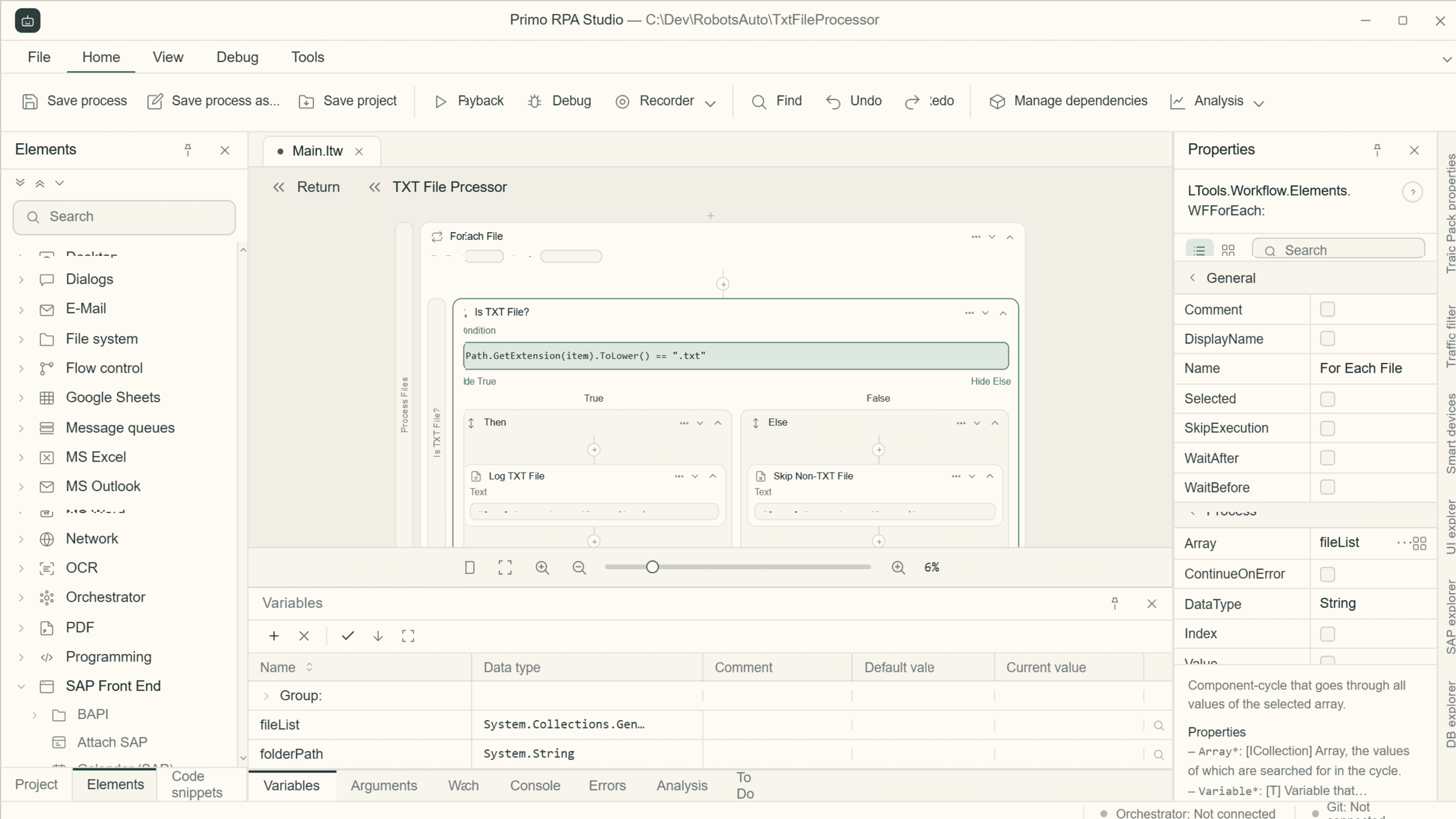
Primo RPA Studio interface
Capabilities

Everything a development team needs in one environment

01

Visual workflow designer

Design automation workflows on a drag-and-drop canvas — no scripting required to build production-ready processes.
  • Activity palette organised by category: web, desktop, files, data, mail, APIs
  • Visual branches, loops, parallel execution, and error handlers
  • One canvas view of the full automation from trigger to completion
02

Action recorder & UI capture

Record user interactions with web and desktop applications to auto-generate workflow steps from observed actions.
  • Capture mouse clicks, keyboard input, and application navigation
  • Generated steps are immediately editable on the canvas
  • Works with web browsers and Windows desktop applications
03

Activity library & reusable components

Pre-built activities for common automation targets, plus reusable sub-workflows callable across projects.
  • Built-in coverage for web, desktop, file system, databases, mail, and Office 365
  • Native enterprise connectors: SAP, Oracle E-Business Suite, MS Dynamics, ServiceNow, Salesforce, Workday
  • Import from Marketplace: community and certified partner activity packages
04

UI selector management

Identify and lock on to UI elements across web and desktop applications using a visual selector editor built into the IDE.
  • Hierarchical selectors with fallback strategies for dynamic interfaces
  • Selector testing and validation without leaving the IDE
  • Supports web browser and Windows desktop application targets
05

Debugger & step execution

Step through automation workflows interactively to find and fix issues without leaving the development environment.
  • Breakpoints, step-into, and step-over execution modes
  • Live variable and argument inspector during execution
  • Execution log with full trace of activity inputs and outputs
06

Version control & Marketplace templates

Manage project history with native Git integration, and start new automations from pre-built templates.
  • Commit, branch, and diff from inside the IDE
  • Project templates from Marketplace to accelerate common automation types
  • Local and server-side project storage
No-code · Low-code · Full-code

Three development modes
One project, one format, one runtime

In Primo RPA Studio, no-code design, low-code logic, and full custom code are not separate tools — they are three views of the same project. A citizen developer starts a workflow visually. An analyst adds conditional logic. An engineer extends it with a custom activity. The same workflow file deploys to the same Primo RPA Robot, through the same Primo RPA Orchestrator, regardless of who authored each step.

No-code

Citizen developer

  • Drag-and-drop workflow canvas
  • Pre-built activity palette: web, desktop, files, data, mail
  • UI action recorder — capture interactions, auto-generate steps
  • No scripting required

Low-code

Analyst

  • Visual conditional branching and loops
  • Expression editor for data manipulation
  • Point-and-click error handling and retry logic
  • No function definitions or class hierarchies needed

Full-code

Engineer

  • Custom activity development in C# and Python
  • Full code access within any workflow step
  • External library imports and SDK integrations
  • Git-based version control and project history

Moving from no-code to full-code doesn't rewrite the project — the same workflow file and all its steps remain unchanged.

A shared project file is necessary but not sufficient. What holds the three-mode model together is a set of runtime and platform decisions that Studio makes consistently — so that skills can mix without anyone inheriting work they did not author.

Differentiators

What sets Studio apart

No rewrite between modes

Switch a step from visual to coded without changing the project file or breaking anything upstream.

Shared runtime for all skill levels

Workflows built in no-code, low-code, or full-code all run on the same Primo RPA Robot — no conversion step.

Windows and Linux

Develop once, target both platforms. The same workflow deploys to either runtime without redevelopment.

Open SDK in C# and Python

Build custom activities that appear alongside pre-built ones in the activity palette.

Marketplace of pre-built components

Community and certified partner activities installable directly into Studio projects.

Native Git integration

Commit, branch, and diff from inside the IDE, without switching to an external client.

Get started

See Primo RPA Studio building automation in your environment

See the platform